

Overview
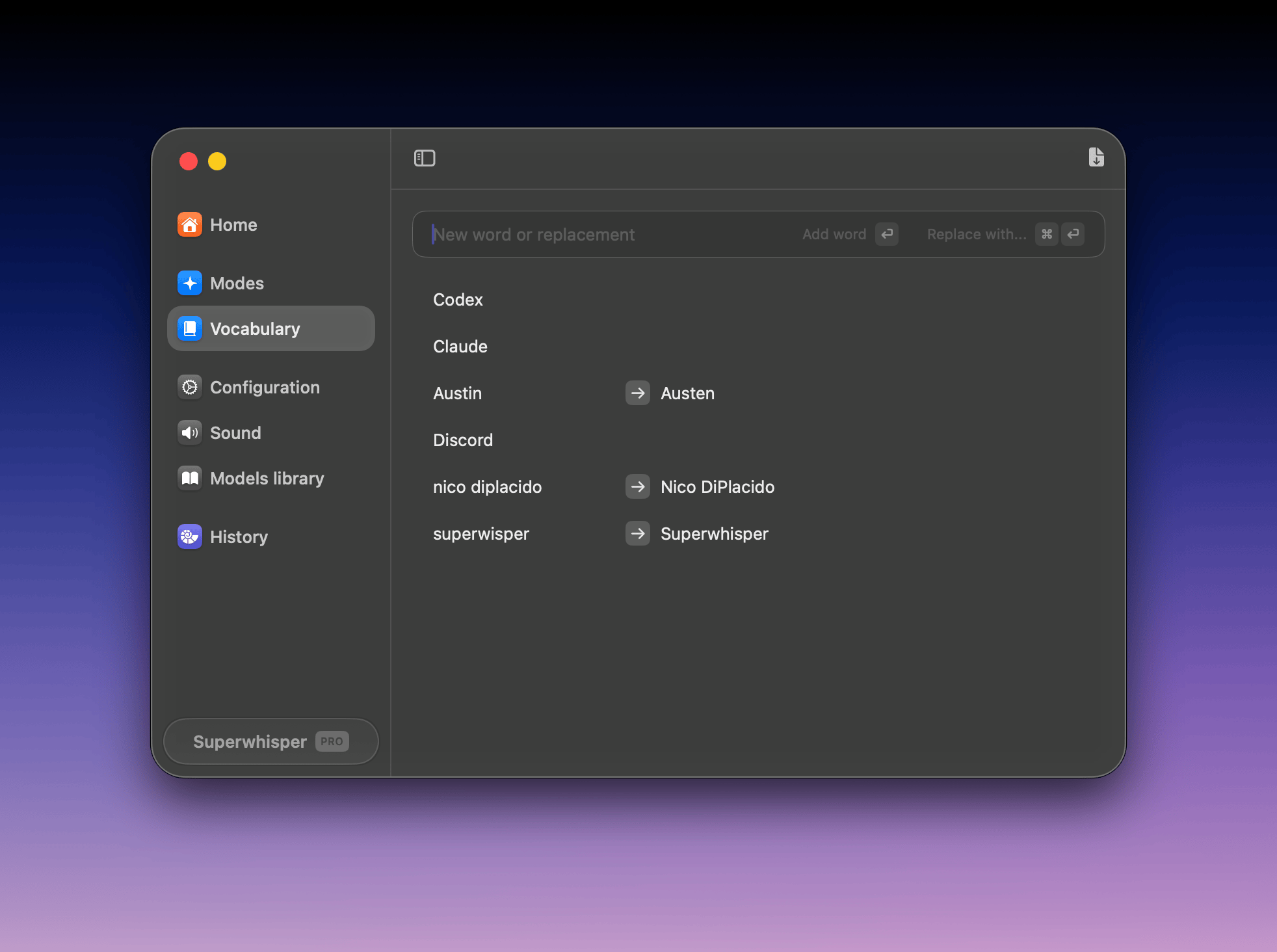
Vocabulary has two tools for improving your results: vocabulary words, which help the transcription model recognize terms, and replacements, which correct text consistently after transcription.Vocabulary words
How vocabulary words work
Words you add to the vocabulary section are sent alongside your audio as recognition hints. They help the transcription model recognize and correctly transcribe:- Custom words
- Acronyms
- Company names
- People’s names
- Specialized terminology
- Words from other languages
Use vocabulary sparingly
Too much vocabulary can hurt transcription:- Too many words can confuse the transcription model
- Words in other languages can affect accuracy and automatic language detection
- Vocabulary influences punctuation and formatting, not just spelling
Replacements
How replacements work
Replacements run after transcription. Once your dictation becomes text, your configured replacements are applied programmatically, with no AI interpretation, so they happen exactly as you define them.Replacements match words regardless of capitalization. The matching system is case-insensitive, so “todo” will match “ToDo”, “TODO”, or “Todo”. The replaced output will appear in the exact case you have specified for the replacement.
When to use replacements
Use replacements to correct persistent errors or expand frequently used phrases. Because they run independently of AI, the results are consistent and immediate, no matter which model transcribed the text.If a word is consistently mis-transcribed several ways, add a replacement for each variation and point them all at the correct result.
Dictating special characters and email addresses
Voice models are tuned for natural speech, so symbols like@, ., /, and # rarely come out the way you’d type them. Replacements fix this: dictate a phrase, and it converts to the symbol you want.
Recommended replacements for symbols
Set these up under Replacements:Dictating email addresses
Add your most-used email addresses as replacements. For example:
For one-off email addresses, dictate them as
name at sign domain dot com and rely on the symbol replacements above. For unusual names the model won’t recognize, add the full address as its own replacement instead.
Managing the list
Vocabulary words and replacements share the same interface. To remove an item, click the trash icon next to it. You can also manage both from the terminal with the Superwhisper CLI:superwhisper vocab for vocabulary and superwhisper snippets for replacements.