

Status indicator dot
A color-coded dot on the icon shows the current status:Yellow
Model loading in progress
Red
Active recording in progress
Blue
Processing dictation
Green
Processing completed
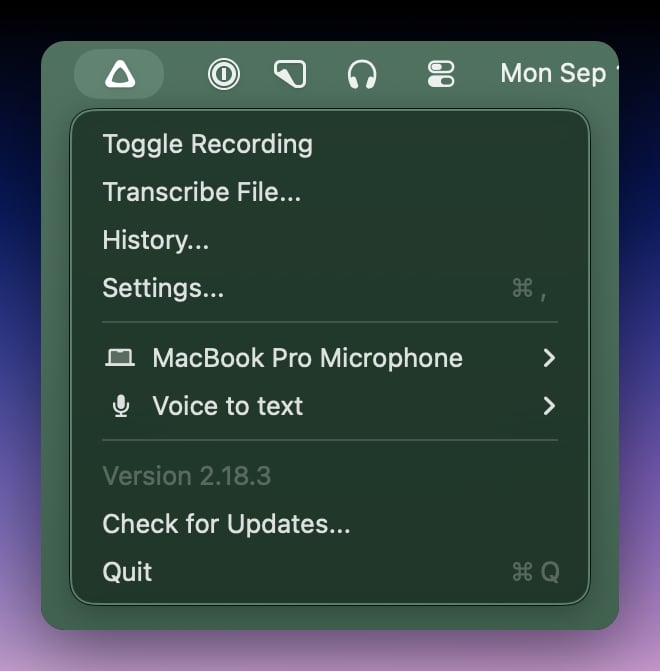
Menu options
Click the icon to open the menu:- Start or stop recording
- Transcribe external files
- Open History
- Open the main settings window
- Change the input device
- Change the active mode
- Check for updates
- Quit Superwhisper
Quick recording
By default, clicking the icon opens the menu. Enable Start Recording on Menubar Click in advanced settings to change this:- Left click toggles recording
- Right click opens the full menu