

Before you invite members, set up billing. Billing information is required to provision licenses.
Adding members to your organization
How members join depends on the authentication method your org has configured. Pick the row that matches your setup.
If you’re using SCIM, see SCIM Provisioning for the full just-in-time provisioning flow. Otherwise, use one of the invite options below.
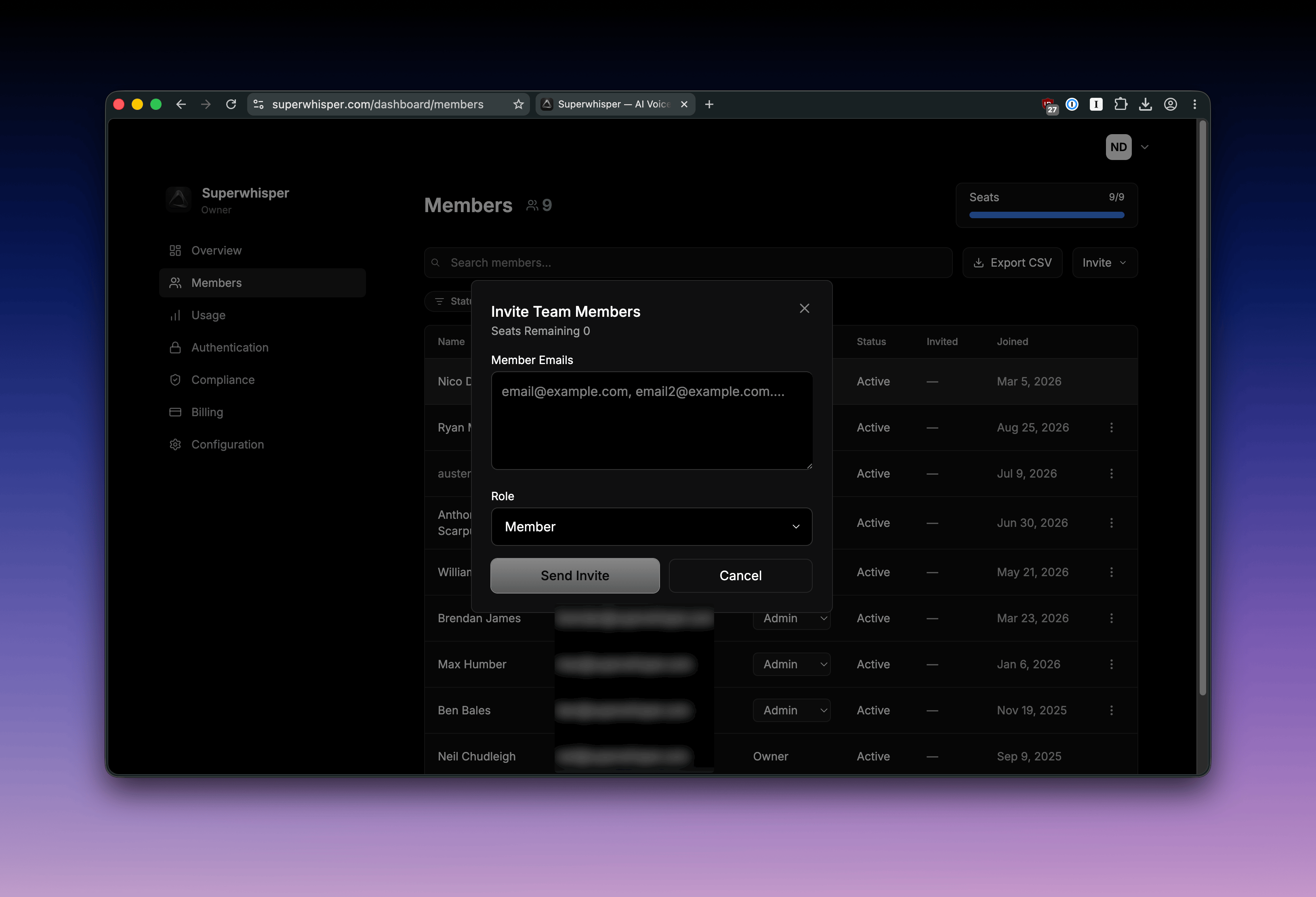
Join link
Share a single join link that anyone with the URL can use:- Navigate to the Members tab in your dashboard
- Click the Invite button at the top right of the Members list
- Generate a join link
- Share it with your team
Email invite
Send direct email invitations to specific addresses:- Navigate to the Members tab in your dashboard
- Click the Invite button at the top right of the Members list
- Enter the email addresses you want to invite
- Send the invitations
What to send new members
Send new members to Activate Your Enterprise License. It walks them through installing the app, signing in with their work email, and what your policies control. Standard members who open the dashboard see only the license and download page.Listing members
The Members tab lists everyone in your org with their role and status, so you can see who has activated their seat and who hasn’t: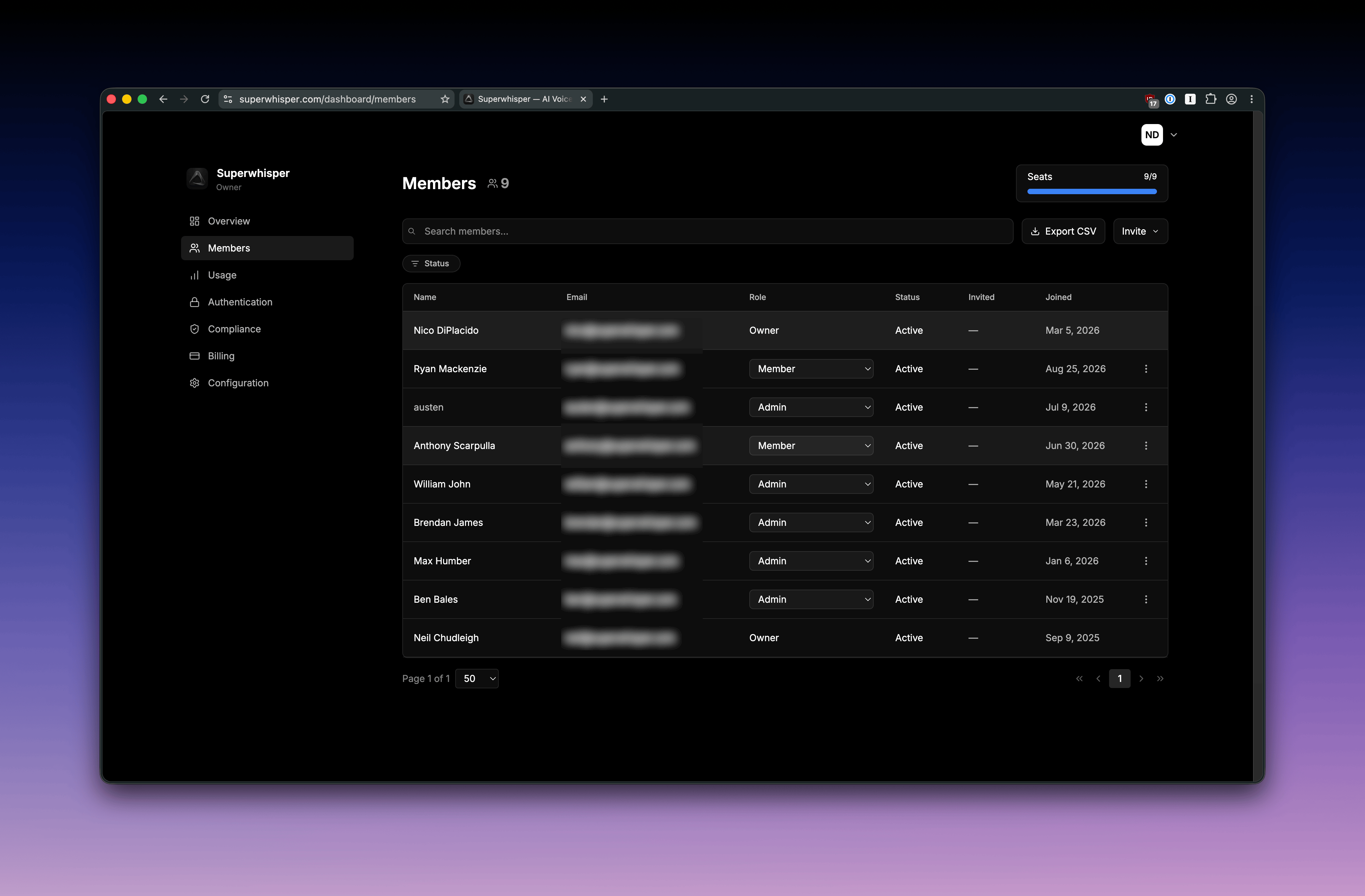
- Elevate Role: promote a Member to Admin
- Transfer Ownership: hand the Owner role to another member. The original Owner drops to Admin
- Change Role: adjust a member’s permissions
- Revoke Access: remove a member from the organization and free their seat
Roles & permissions
Superwhisper Enterprise has three member roles:Transferring ownership
Ownership is transferred, not shared. There is only one Owner at a time. When an Owner transfers ownership to another member, the original Owner drops to Admin automatically.Seat billing
All members who use the app occupy billable seats, including Admins. An Owner can free their own seat with Disable my license in the dashboard’s Configuration tab and keep full owner access to manage the org.When an employee leaves
Seats aren’t tied to a person. Free the seat and reassign it:- Revoke access from the three-dot menu next to their name, or let SCIM deprovisioning do it automatically when they’re removed from your identity provider
- The seat returns to your pool immediately, with no billing change
- Invite the replacement using any invite method above; they take the freed seat on first sign-in
- If company policy requires it, wipe local Superwhisper data as part of standard device offboarding (or via your MDM)
What happens on removal
- Their seat is freed: it returns to your available pool for another member
- Their license is deactivated: the next time they open Superwhisper, the app falls back to the Free tier or prompts for a new license
- Their local data stays on their device: transcripts, recordings, modes, and vocabulary are stored locally and aren’t touched by deactivation
- Cached organization configuration clears on next app launch, since the license is no longer active
Re-adding a former member
Re-inviting a removed user restores their access and uses a new seat. Their previous local data on that device is intact and picks up where they left off.Configuration updates
Every time a member starts the Superwhisper app, it pulls the latest configuration for your organization. Changes you make in the dashboard apply to members on their next app launch, no member action required.Operating recommendations
- Set up billing first: invites can’t provision licenses without billing in place
- Keep Admin and Owner roles tight: audit who holds them every quarter and downgrade anyone who no longer needs the access
- Run SCIM end to end: departures from your identity provider then deprovision Superwhisper automatically. Manual cleanup is where unused seats accumulate
- Invite IT or Security to set up SAML: use the magic-link invitation flow instead of sharing dashboard credentials
Related
- Activate Your Enterprise License: the setup page to send new members
- Billing & Subscription Management: seat-based billing details that pair with member changes
- SAML SSO and SCIM: automate authentication and provisioning
- MDM & Silent Deployment: zero-touch app rollout for new members