

Overview
When iCloud Documents syncing is enabled on your Mac, the Superwhisper folder may move to iCloud while the app still references the original location. This mismatch prevents Superwhisper from saving new modes and can cause other problems.This mainly affects older installs where the Superwhisper folder lived in ~/Documents. The current default is ~/superwhisper in your home directory, which iCloud Documents syncing doesn’t touch.
Fix the folder location
Redirect Superwhisper to a folder outside iCloud:1
Open the Configuration Tab
Access the Configuration section from the left sidebar menu in Superwhisper and go to “Advanced Settings.”
2
Change Folder Location
Scroll down to find the “Change Folder” option and click it.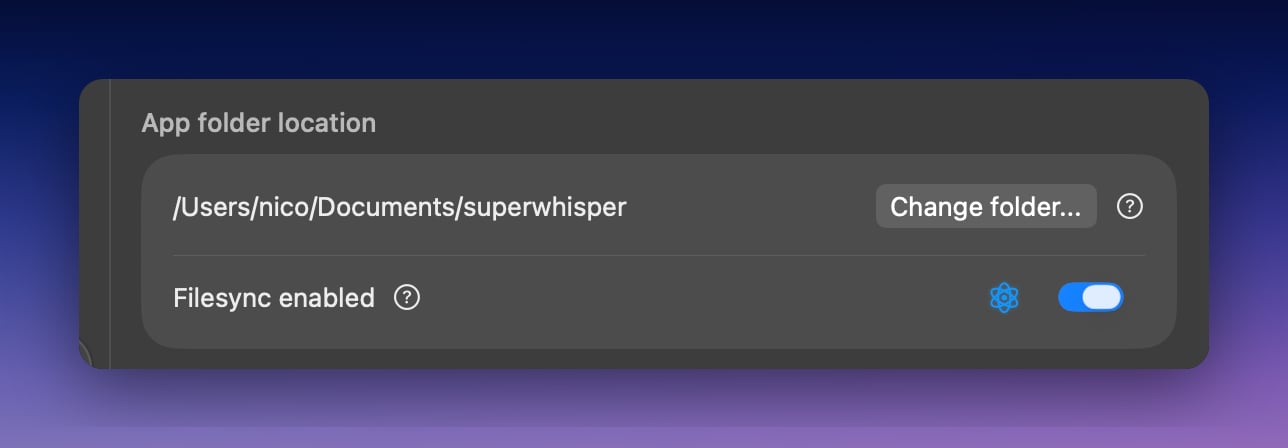
3
Select a New Folder Location
In the file browser that appears, navigate to your home folder (or another location outside iCloud) and click “Open”.
4
Confirm the Change
Click “Confirm” in the dialog box to apply the folder location change.