> ## Documentation Index
> Fetch the complete documentation index at: https://superwhisper.com/docs/llms.txt
> Use this file to discover all available pages before exploring further.
# Create Your First Mode
> Create your first Superwhisper mode and pick its models along the way. A Message mode works with cloud or local models.
Modes help you customize communication styles across apps and use cases. Every mode includes the voice model that transcribes, and a language model and prompt that shapes the result.
## Create a Message mode
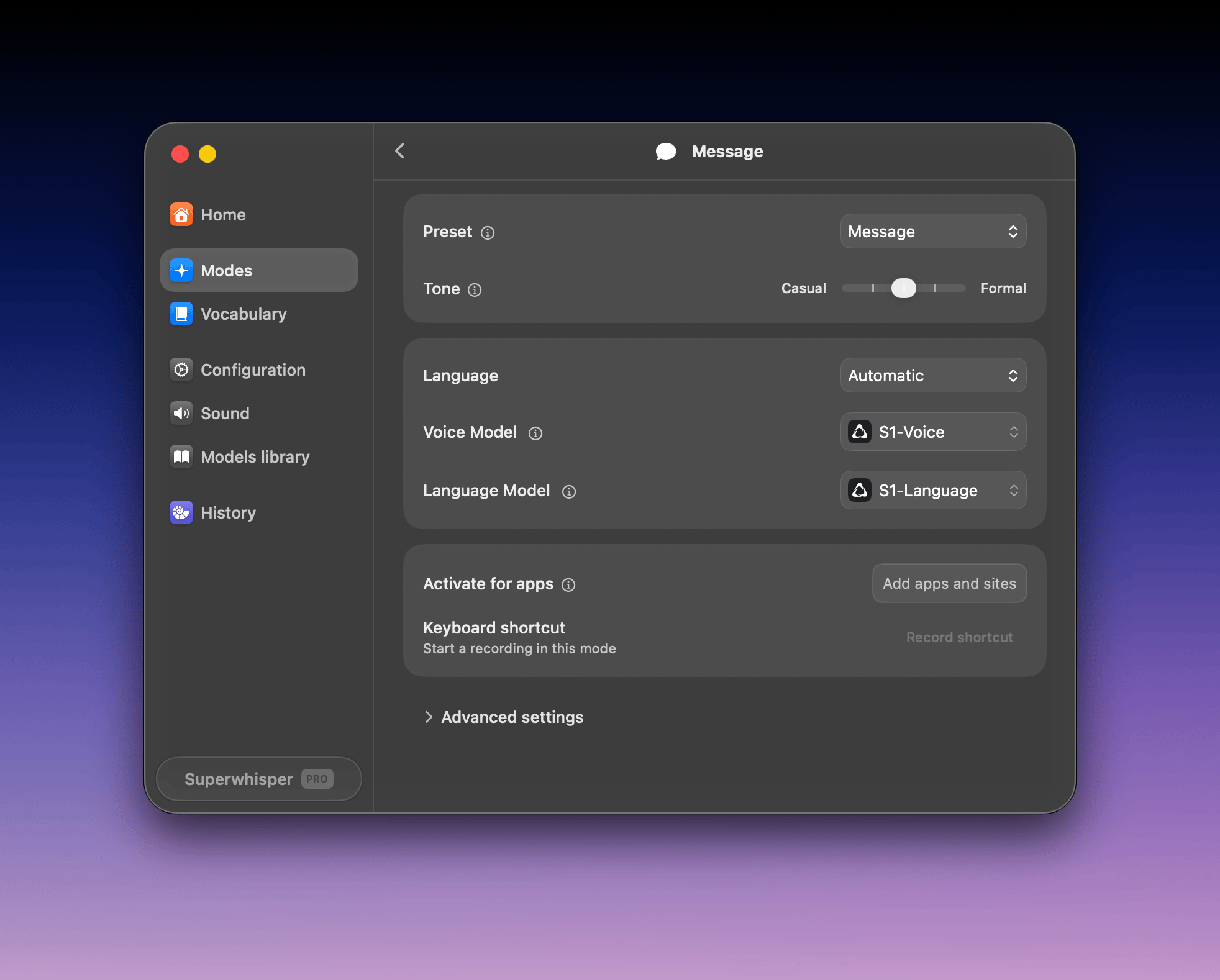
**Message** mode turns your dictation into a ready-to-send message, with a tone slider from casual to formal.
Open Superwhisper's settings and click **Modes** in the sidebar.
Click **+ Create mode** and select the **Message** preset. Click the mode's name to rename it.
Two setups work well:
Keep the defaults: **S1-Voice** for transcription and **S1-Language** for formatting. Nothing to download.
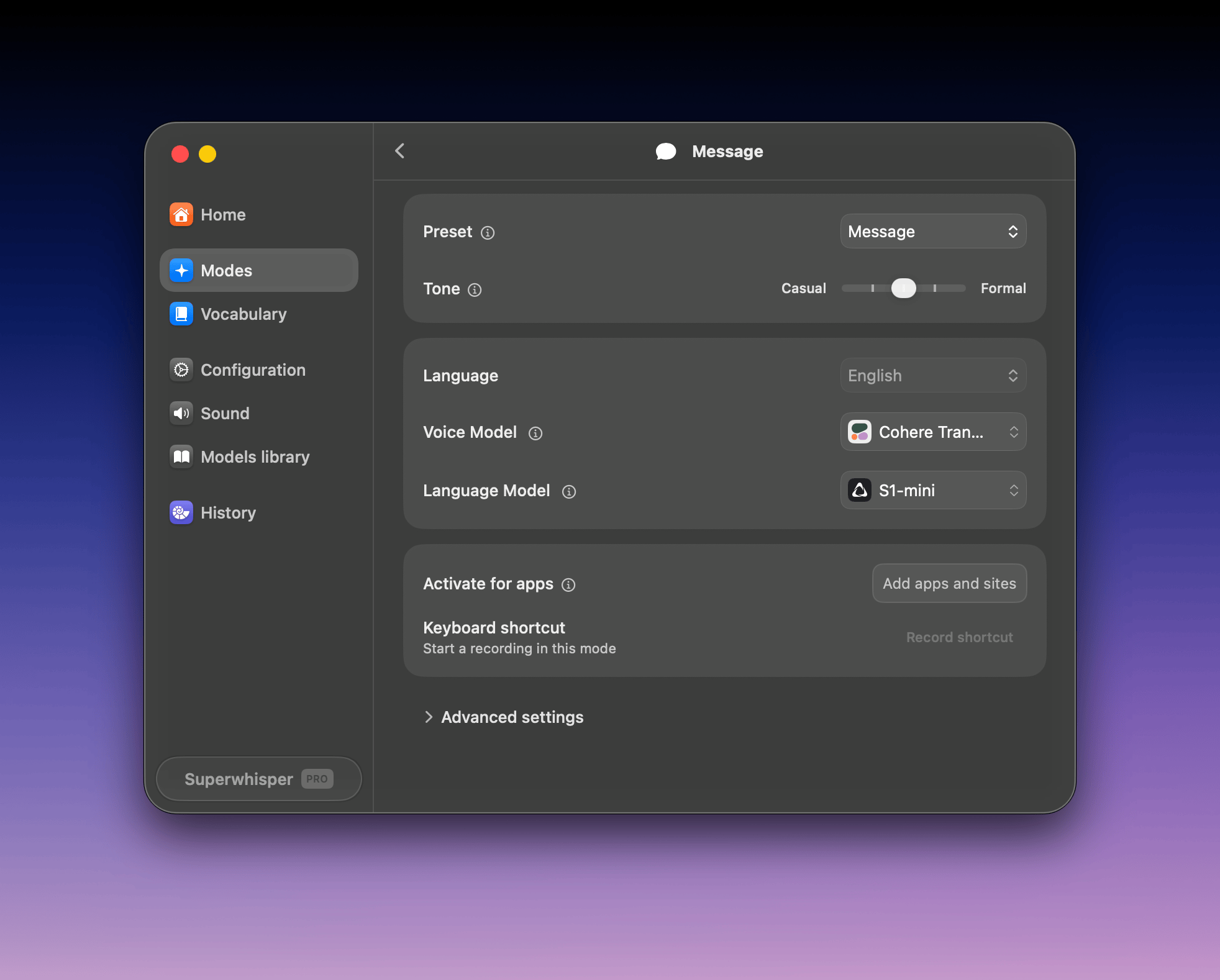
 Set **Voice Model** to **Cohere Transcribe** and **Language Model** to **S1-mini**. Both run on your device: nothing you dictate leaves it. First use downloads the models (Cohere Transcribe is 1.3 GB).
 Click into a text field, press **⌥ Space** (Option + Space), and speak. Superwhisper records with your active mode, the one marked with a green dot in the Modes list. Press **⌥ ⇧ K** (Option + Shift + K) to switch modes.
## Explore more models
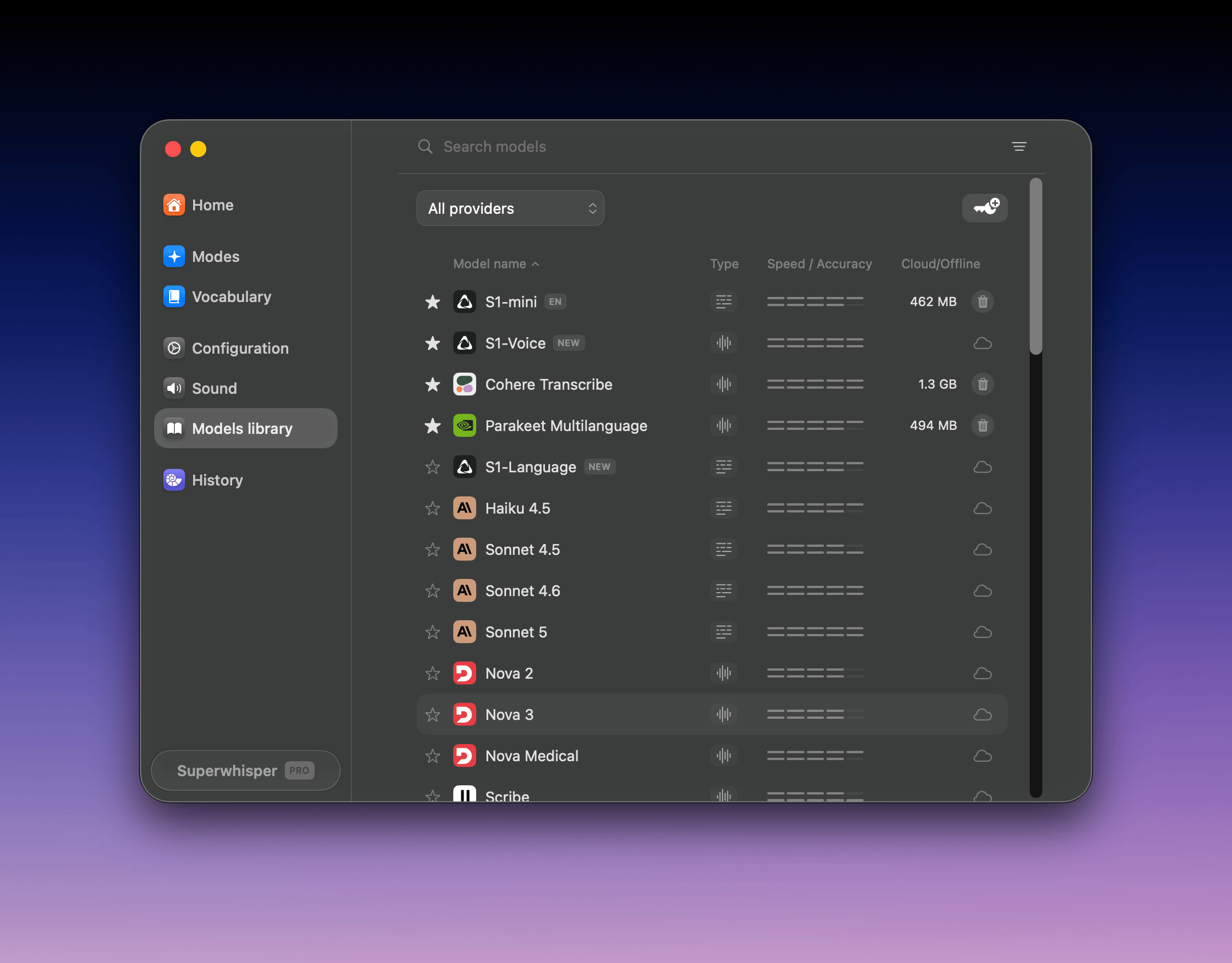
Open **Settings → Models library** to browse every model, download local ones, and remove ones you no longer use.
Click into a text field, press **⌥ Space** (Option + Space), and speak. Superwhisper records with your active mode, the one marked with a green dot in the Modes list. Press **⌥ ⇧ K** (Option + Shift + K) to switch modes.
## Explore more models
Open **Settings → Models library** to browse every model, download local ones, and remove ones you no longer use.
 ### Cloud vs. local
| | Cloud | Local |
| :---------- | :---------------------------------------- | :---------------------------------------------- |
| Setup | None; works immediately | One-time download (75 MB – 3 GB) |
| Privacy | Audio processed in the cloud (ZDR policy) | Audio never leaves your device |
| Offline use | Requires internet | Works offline |
| Speed | Fast on any hardware | Fast on modern hardware |
| Best for | Most users, older machines | Sensitive work, travel, privacy-conscious users |
### Our picks
| Model | Runs | Size | Why pick it |
| :------------------------- | :---- | :---------- | :---------------------------------------------------------------------------------------------- |
| **S1-Voice** | Cloud | No download | The most accurate model we ship (6.6% word error rate) |
| **Cohere Transcribe** | Local | 1.3 GB | The most accurate local model (8.4% word error rate); our first pick for on-device |
| **Parakeet Multilanguage** | Local | 494 MB | The fastest on Apple silicon, and the only local option for Windows ARM. Best for Multilingual. |
| **Whisper Large v3 Turbo** | Local | 1.6 GB | The fastest on some Windows machines |
Numbers come from [our public benchmarks](https://superwhisper.com/benchmarks).
**Every Whisper model is free**, including Whisper Large v3 Turbo. Cohere Transcribe, the Parakeet models, and all cloud models need [Pro](/docs/billing/plans).
**On Windows:** Cohere Transcribe and Whisper Large v3 Turbo run on your GPU through Vulkan, which Windows ARM (Snapdragon) devices don't support yet. On ARM, use Parakeet Multilanguage or a cloud model. Details in [Windows requirements](/docs/get-started/windows#requirements).
For every model's languages, speed, accuracy, and size, see [Voice models](/docs/models/voice) and [Language models](/docs/models/language).
## Next step
Modes decide what happens to your transcription: plain text, a formatted message, an email, or a custom transformation.
### Cloud vs. local
| | Cloud | Local |
| :---------- | :---------------------------------------- | :---------------------------------------------- |
| Setup | None; works immediately | One-time download (75 MB – 3 GB) |
| Privacy | Audio processed in the cloud (ZDR policy) | Audio never leaves your device |
| Offline use | Requires internet | Works offline |
| Speed | Fast on any hardware | Fast on modern hardware |
| Best for | Most users, older machines | Sensitive work, travel, privacy-conscious users |
### Our picks
| Model | Runs | Size | Why pick it |
| :------------------------- | :---- | :---------- | :---------------------------------------------------------------------------------------------- |
| **S1-Voice** | Cloud | No download | The most accurate model we ship (6.6% word error rate) |
| **Cohere Transcribe** | Local | 1.3 GB | The most accurate local model (8.4% word error rate); our first pick for on-device |
| **Parakeet Multilanguage** | Local | 494 MB | The fastest on Apple silicon, and the only local option for Windows ARM. Best for Multilingual. |
| **Whisper Large v3 Turbo** | Local | 1.6 GB | The fastest on some Windows machines |
Numbers come from [our public benchmarks](https://superwhisper.com/benchmarks).
**Every Whisper model is free**, including Whisper Large v3 Turbo. Cohere Transcribe, the Parakeet models, and all cloud models need [Pro](/docs/billing/plans).
**On Windows:** Cohere Transcribe and Whisper Large v3 Turbo run on your GPU through Vulkan, which Windows ARM (Snapdragon) devices don't support yet. On ARM, use Parakeet Multilanguage or a cloud model. Details in [Windows requirements](/docs/get-started/windows#requirements).
For every model's languages, speed, accuracy, and size, see [Voice models](/docs/models/voice) and [Language models](/docs/models/language).
## Next step
Modes decide what happens to your transcription: plain text, a formatted message, an email, or a custom transformation.